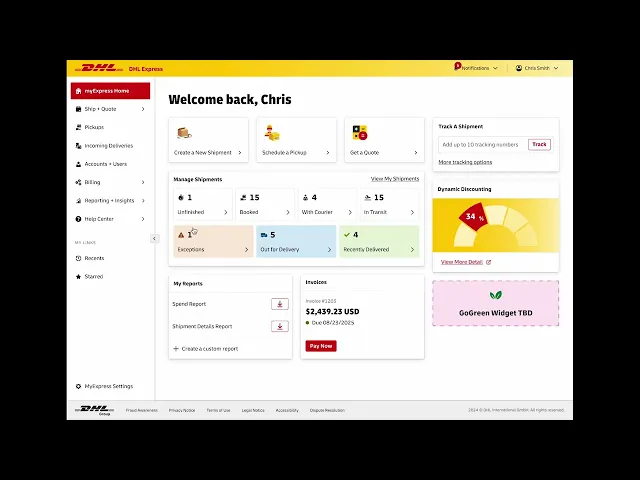
MyExpress Portal
DHL Express is a global leader in international shipping, generating nearly €25B in annual revenue. In this project our team helped design and prototype the initial interface of a reimagined portal for DHL Express business customers, launching in 2026.
MyExpress Portal
DHL Express is a global leader in international shipping, generating nearly €25B in annual revenue. In this project our team helped design and prototype the initial interface of a reimagined portal for DHL Express business customers, launching in 2026.
MyExpress Portal
DHL Express is a global leader in international shipping, generating nearly €25B in annual revenue. In this project our team helped design and prototype the initial interface of a reimagined portal for DHL Express business customers, launching in 2026.
Role
UI Design, Figma Prototyping
Tools
Figma
Duration
3 months
Project Type
Team Project for Client
Role
UI Design, Figma Prototyping
Tools
Figma
Duration
3 months
Project Type
Team Project for Client
PROBLEM
DHL Express' current business portal is outdated.
This portal is in need of a refresh because the current experience is disjointed and does not align with their interface library.
SOLUTION
Update using their most recent design library & improve usability.
For this scope, we updated the UI and improved the experience of select user flows included in the portal.
PROBLEM
DHL Express' current business portal is outdated.
This portal is in need of a refresh because the current experience is disjointed and does not align with their interface library.
SOLUTION
Update using their most recent design library & improve usability.
For this scope, we updated the UI and improved the experience of select user flows included in the portal.
PROBLEM
DHL Express' current business portal is outdated.
This portal is in need of a refresh because the current experience is disjointed and does not align with their interface library.
SOLUTION
Update using their most recent design library & improve usability.
For this scope, we updated the UI and improved the experience of select user flows included in the portal.
User Profile
MY PROFILE
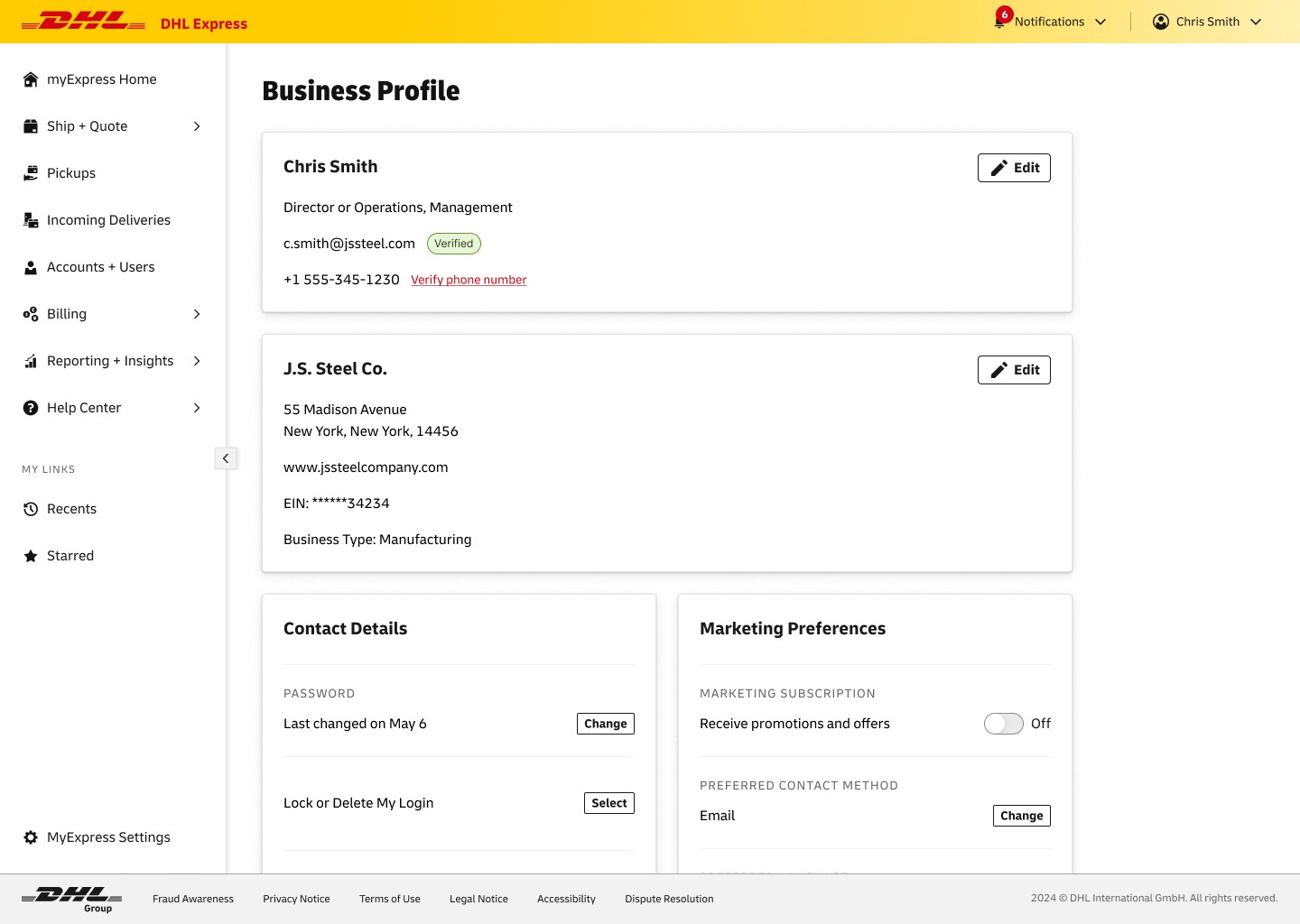
Start with a responsive profile page where users can edit their information.
We updated the visual style and improved typographical and information hierarchy to improve readability.
MY PROFILE
Start with a responsive profile page where users can edit their information.
We updated the visual style and improved typographical and information hierarchy to improve readability.
EDIT PROFILE
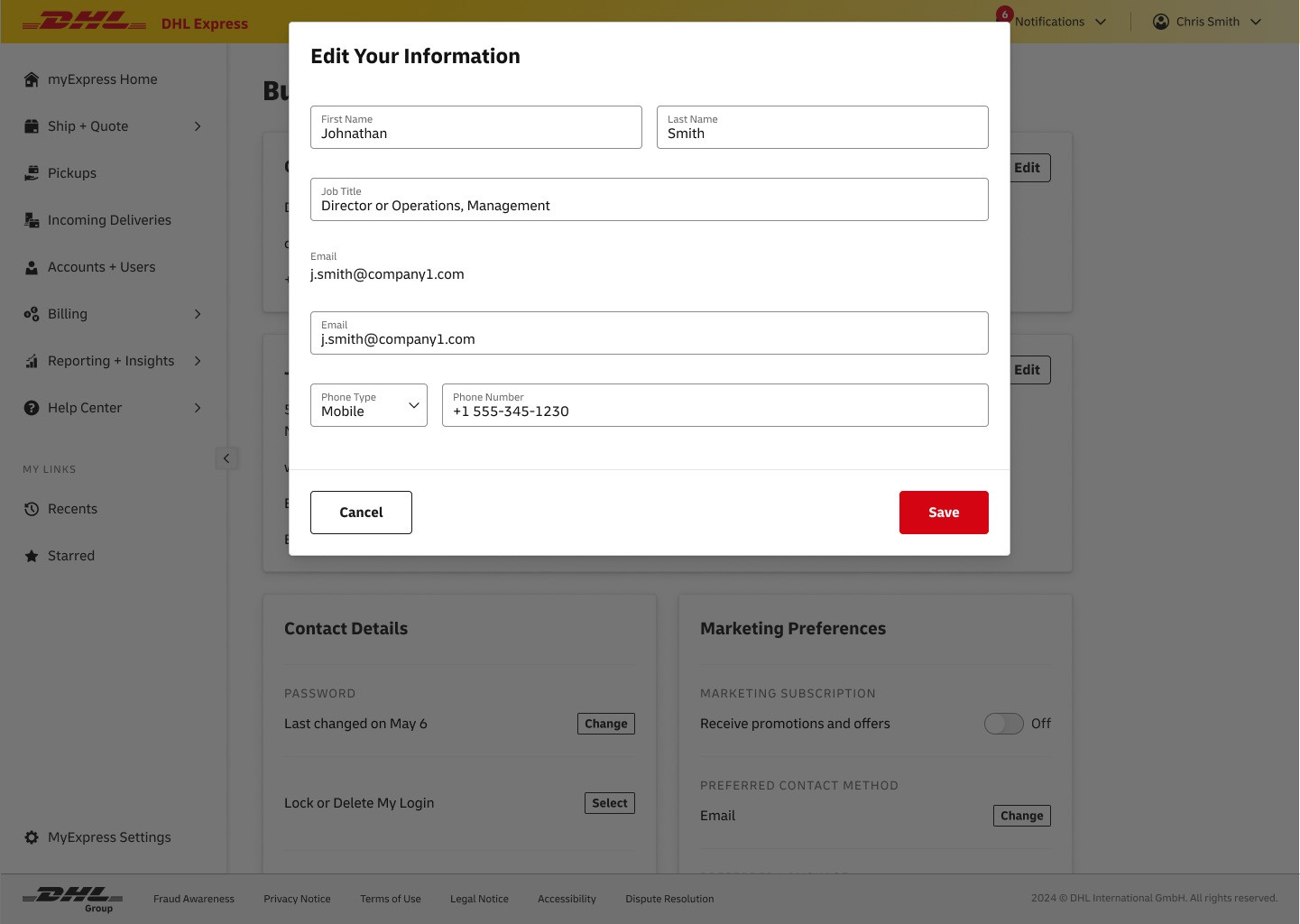
Use modals to edit information to keep the flow short & simple.
The information in these sections was very simple. Keeping the editing screens in modals to help make the process faster.
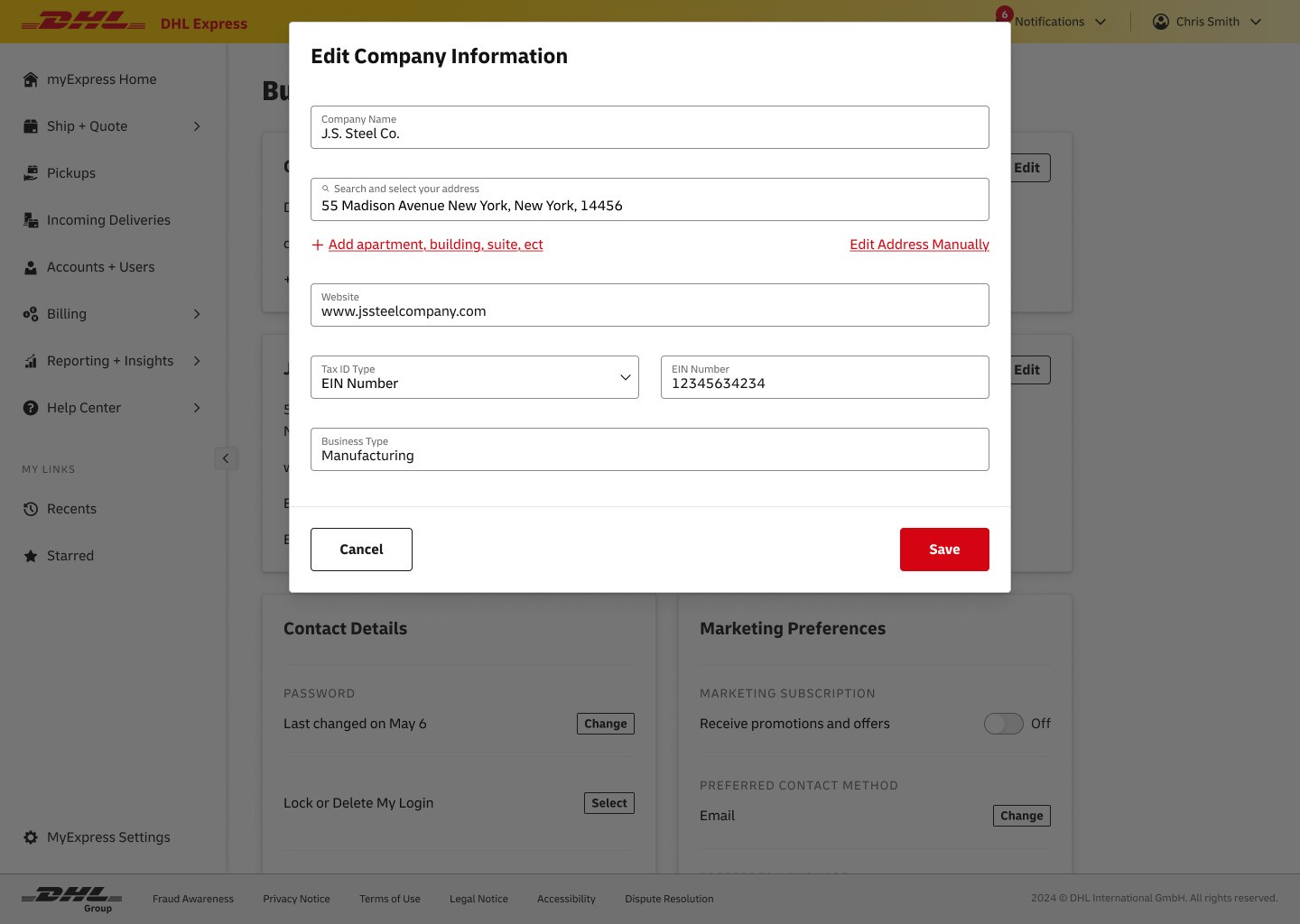
EDIT PROFILE
Use modals to edit information to keep the flow short & simple.
The information in these sections was very simple. Keeping the editing screens in modals to help make the process faster.
Shipment Manager
MY SHIPMENTS
Use a table to show previous & in progress shipments.
The table became our most important pattern when showing bulk information. In this case, the tracking number acts as an identifier and the other information supports scanning. The status helps users identify necessary actions quickly.
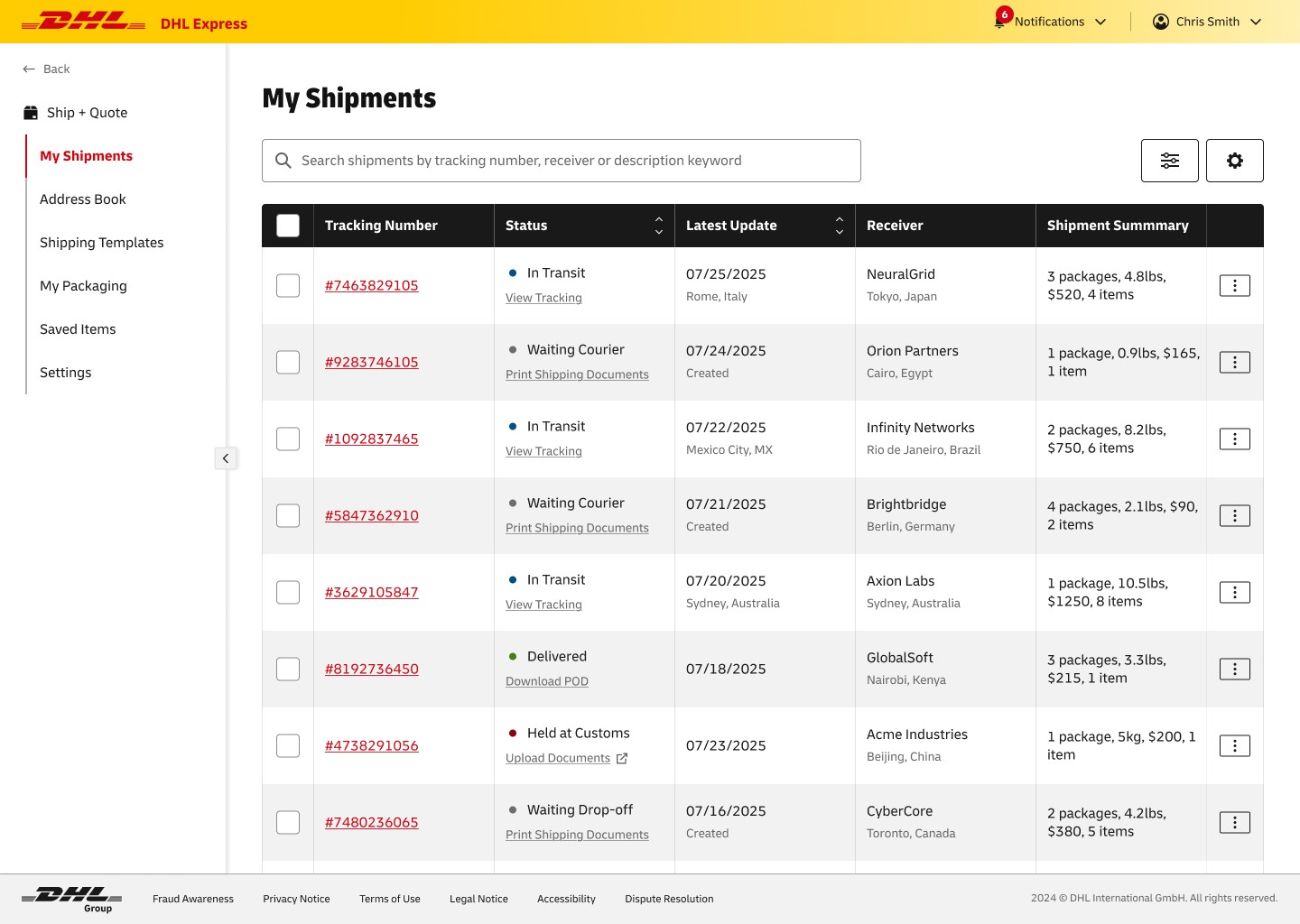
MY SHIPMENTS
Use a table to show previous & in progress shipments.
The table became our most important pattern when showing bulk information. In this case, the tracking number acts as an identifier and the other information supports scanning. The status helps users identify necessary actions quickly.
SHIPMENT DETAILS
Display time-sensitive information first & static information after.
The in-depth view of the shipment is divided into two sections while it is in progress. The top section is time based and the second is static information, helping users identify time-sensitive information quickly.
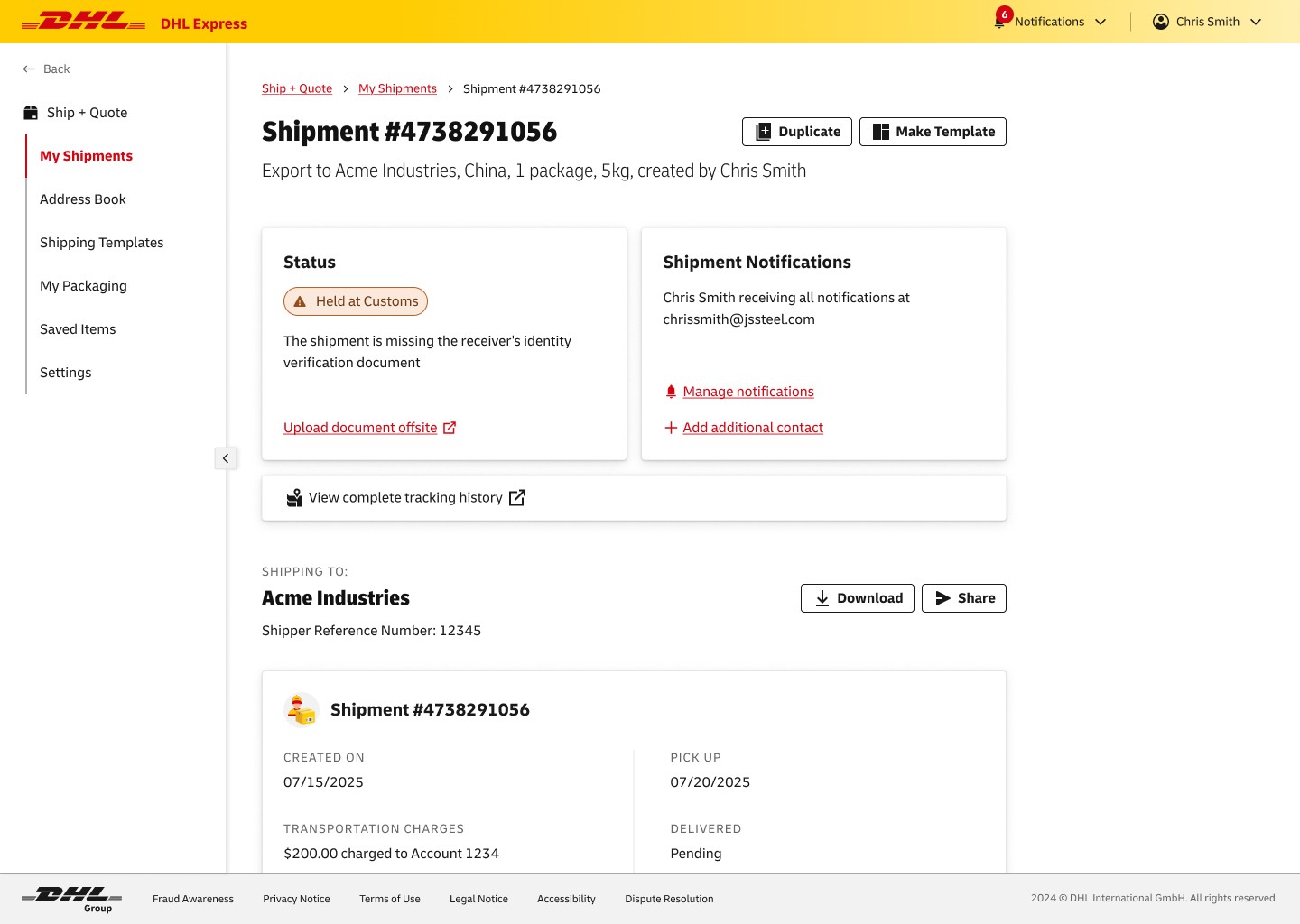
SHIPMENT DETAILS
Display time-sensitive information first & static information after.
The in-depth view of the shipment is divided into two sections while it is in progress. The top section is time based and the second is static information, helping users identify time-sensitive information quickly.
Contact Manager
ADDRESS BOOK
Use a table to show important information about contacts.
This page uses a table to display bulk information for easy scanning and filtering.
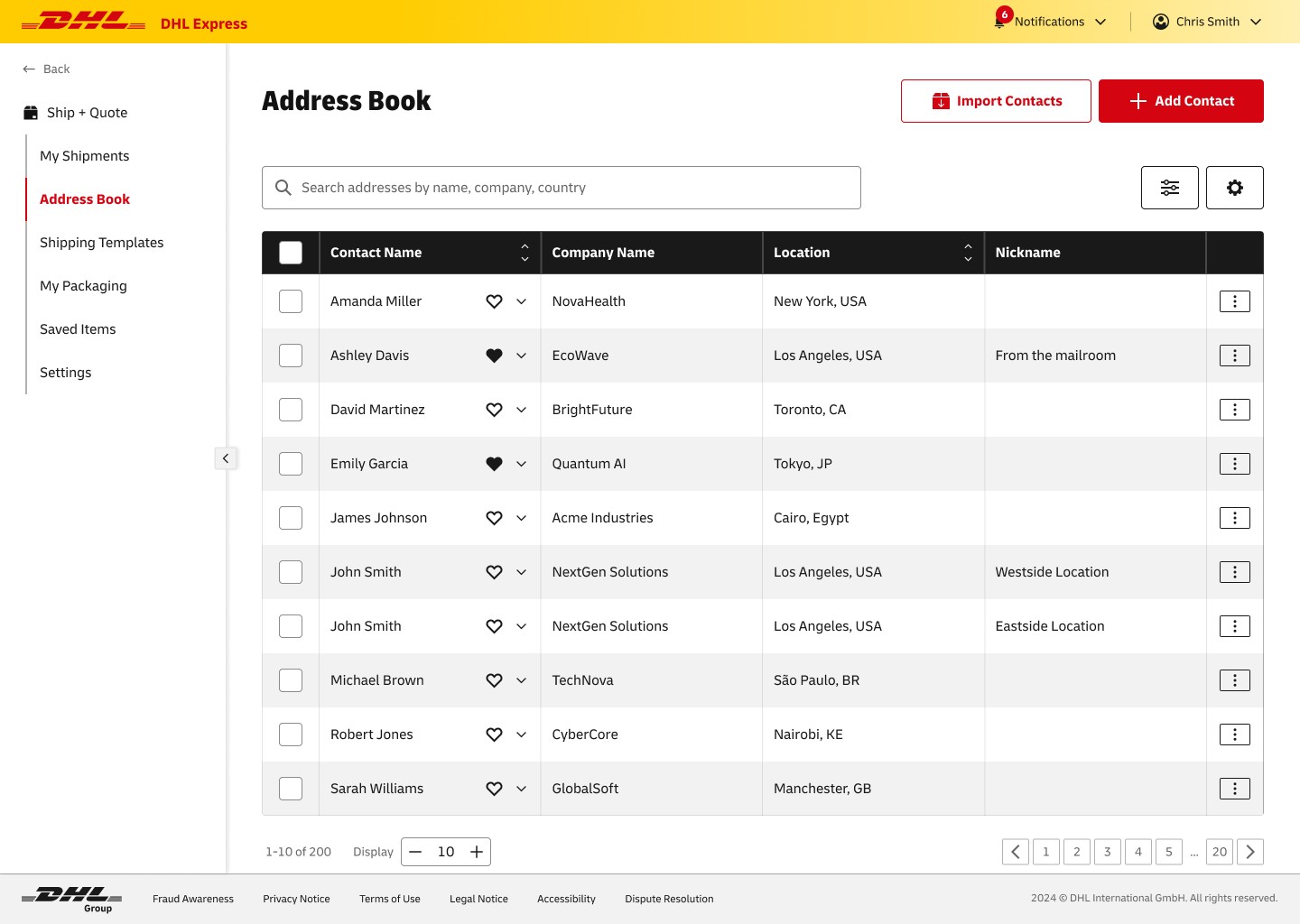
ADDRESS BOOK
Use a table to show important information about contacts.
This page uses a table to display bulk information for easy scanning and filtering.
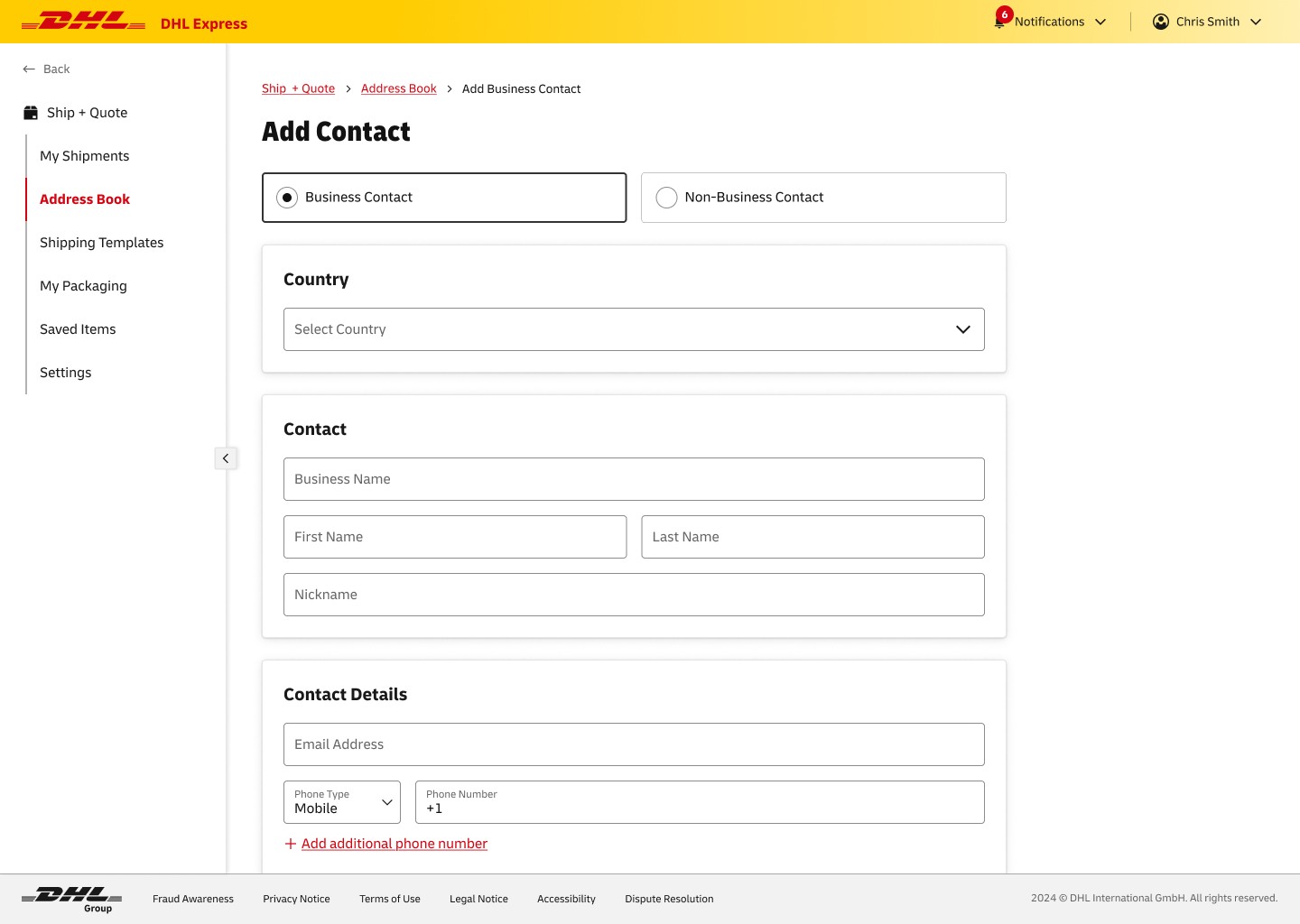
ADD CONTACT
Separate adding business & non-business to ask only necessary questions.
Using a toggle to separate business and non-business contacts will help avoid confusion and decrease time spent inputting information by only asking necessary questions in the form.
ADD CONTACT
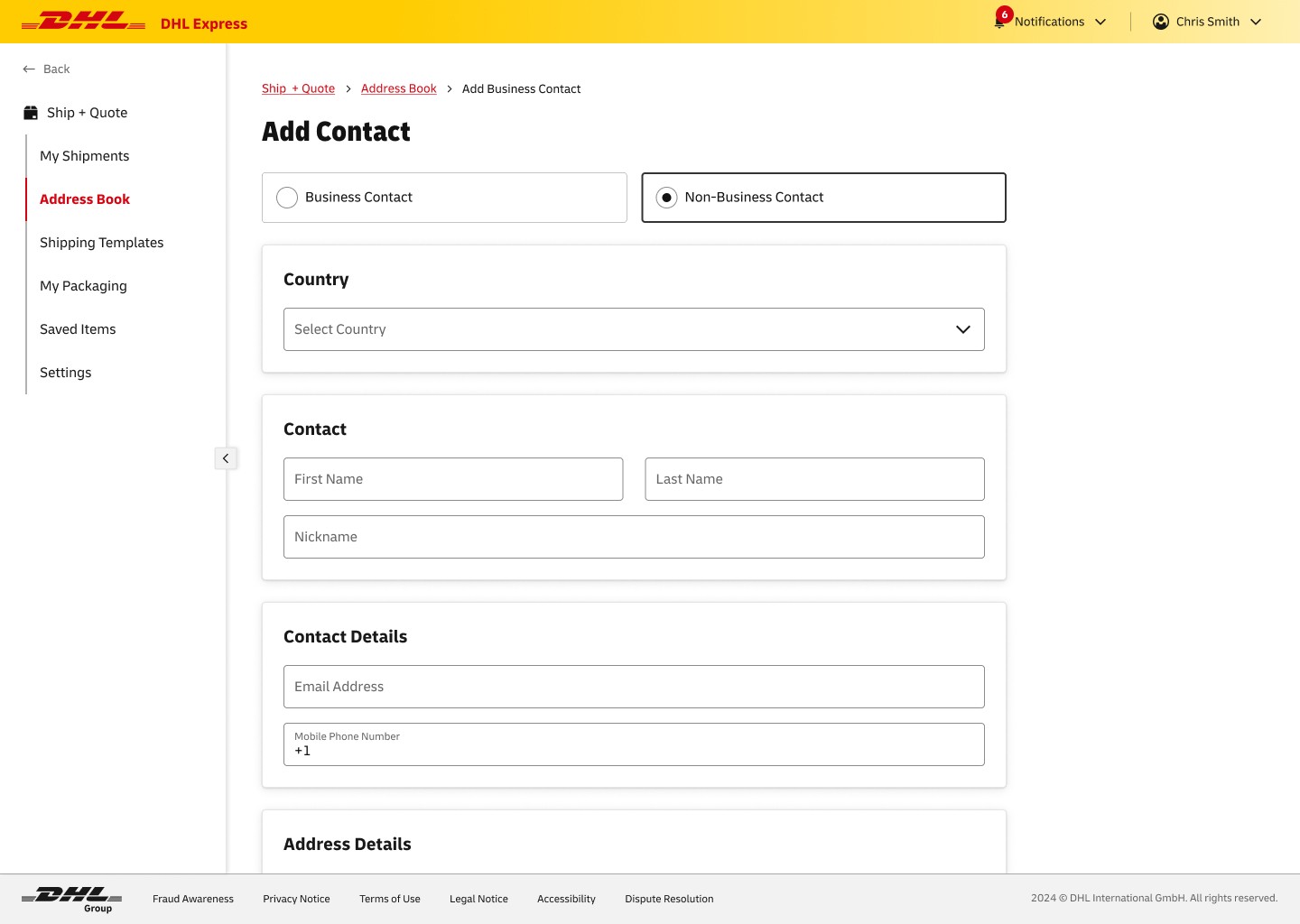
Separate adding business & non-business to ask only necessary questions.
Using a toggle to separate business and non-business contacts will help avoid confusion and decrease time spent inputting information by only asking necessary questions in the form.
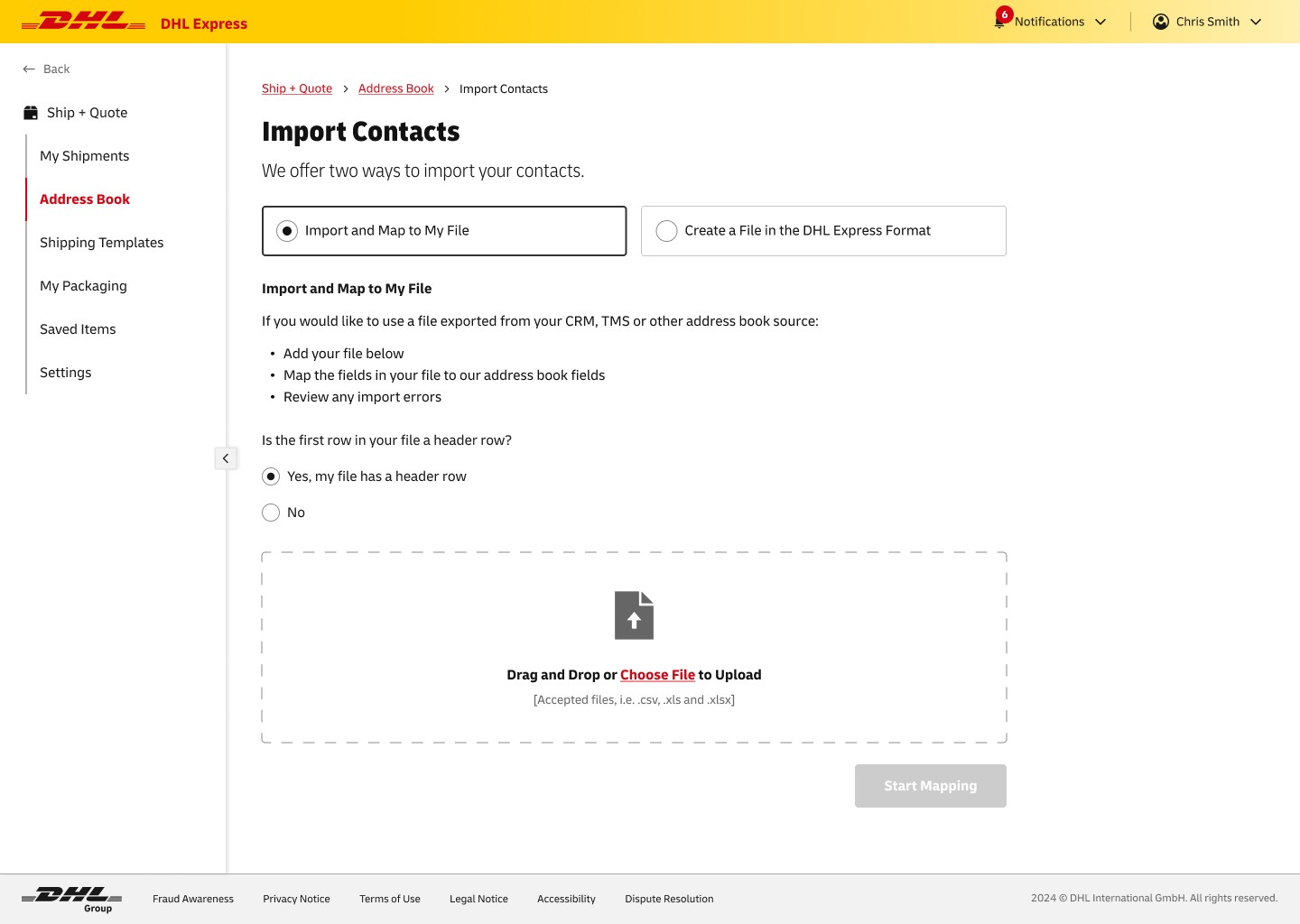
IMPORT CONTACTS
Give options on file format to help with bulk imports.
This toggle allows users to choose a path that is best for their work flow.
IMPORT CONTACTS
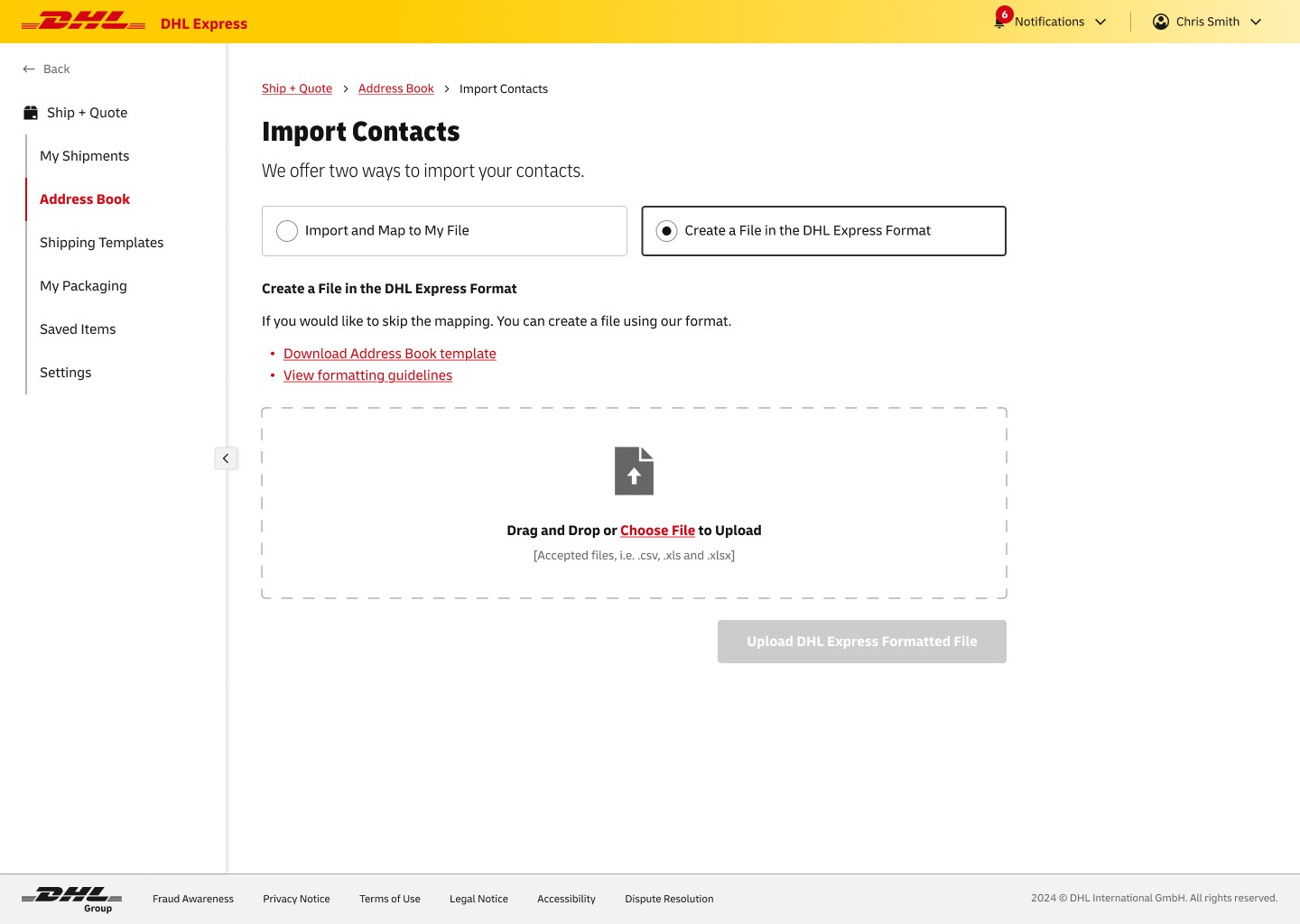
Give options on file format to help with bulk imports.
This toggle allows users to choose a path that is best for their work flow.
Accounts & Users Manager
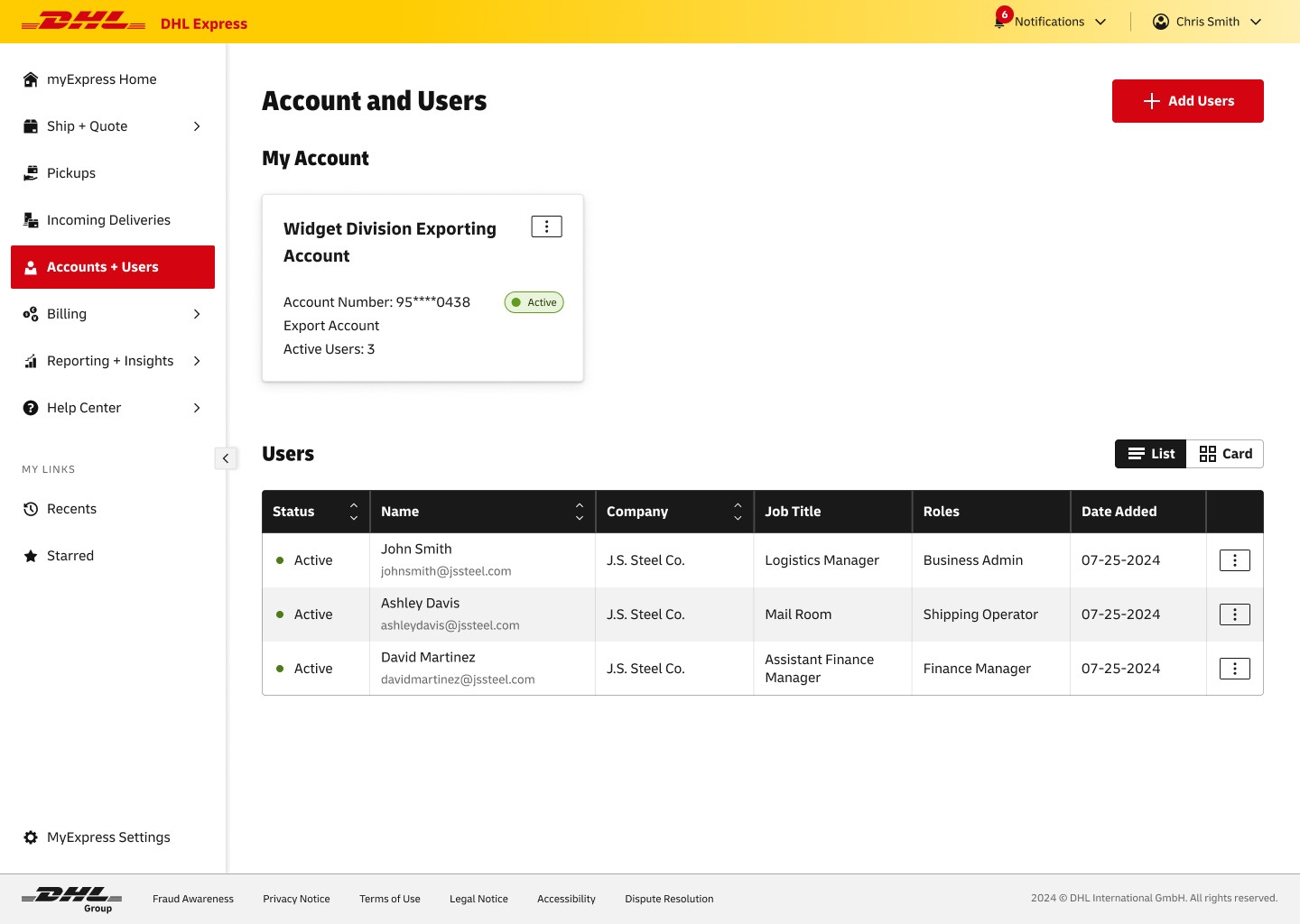
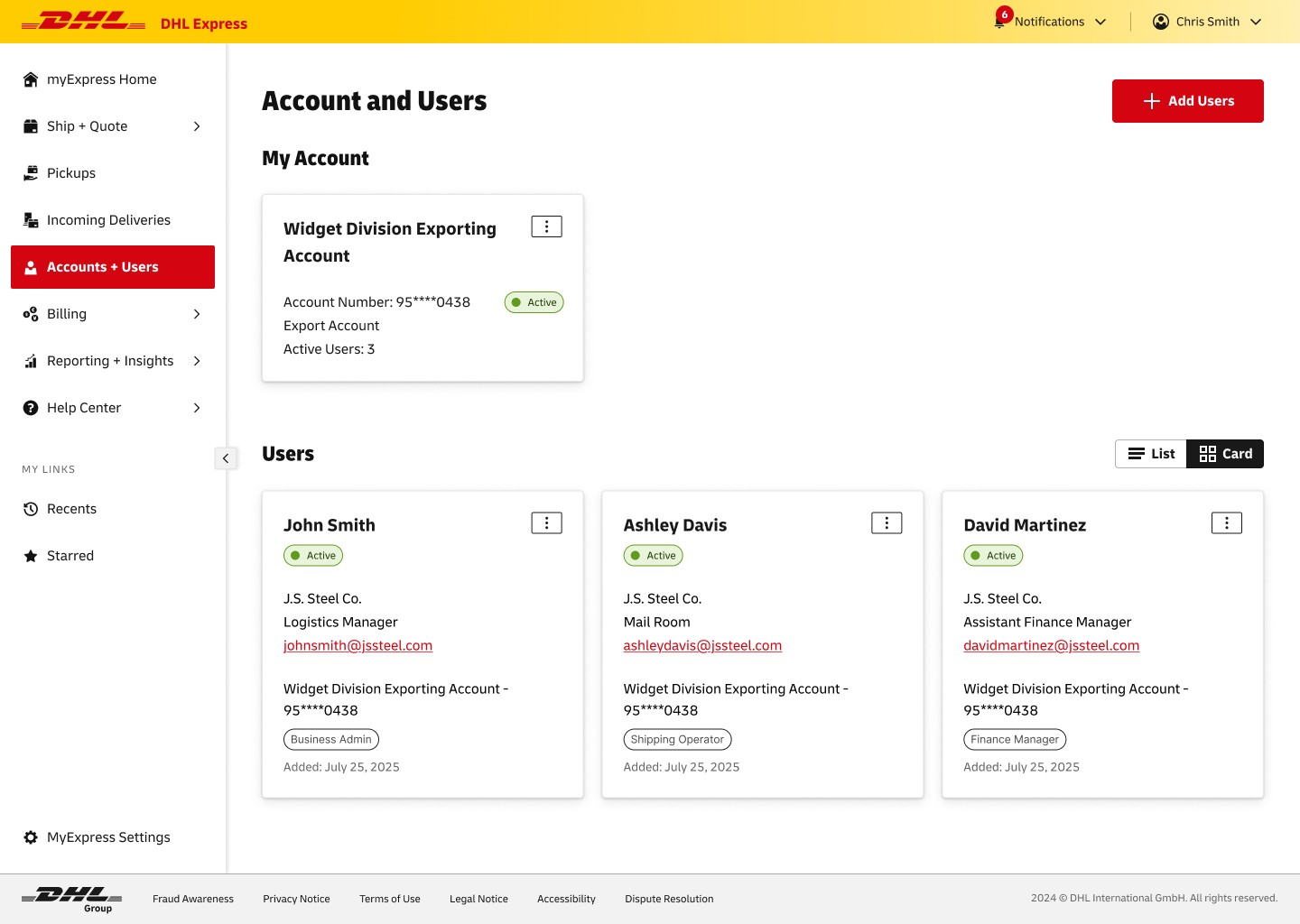
ACCOUNTS & USERS
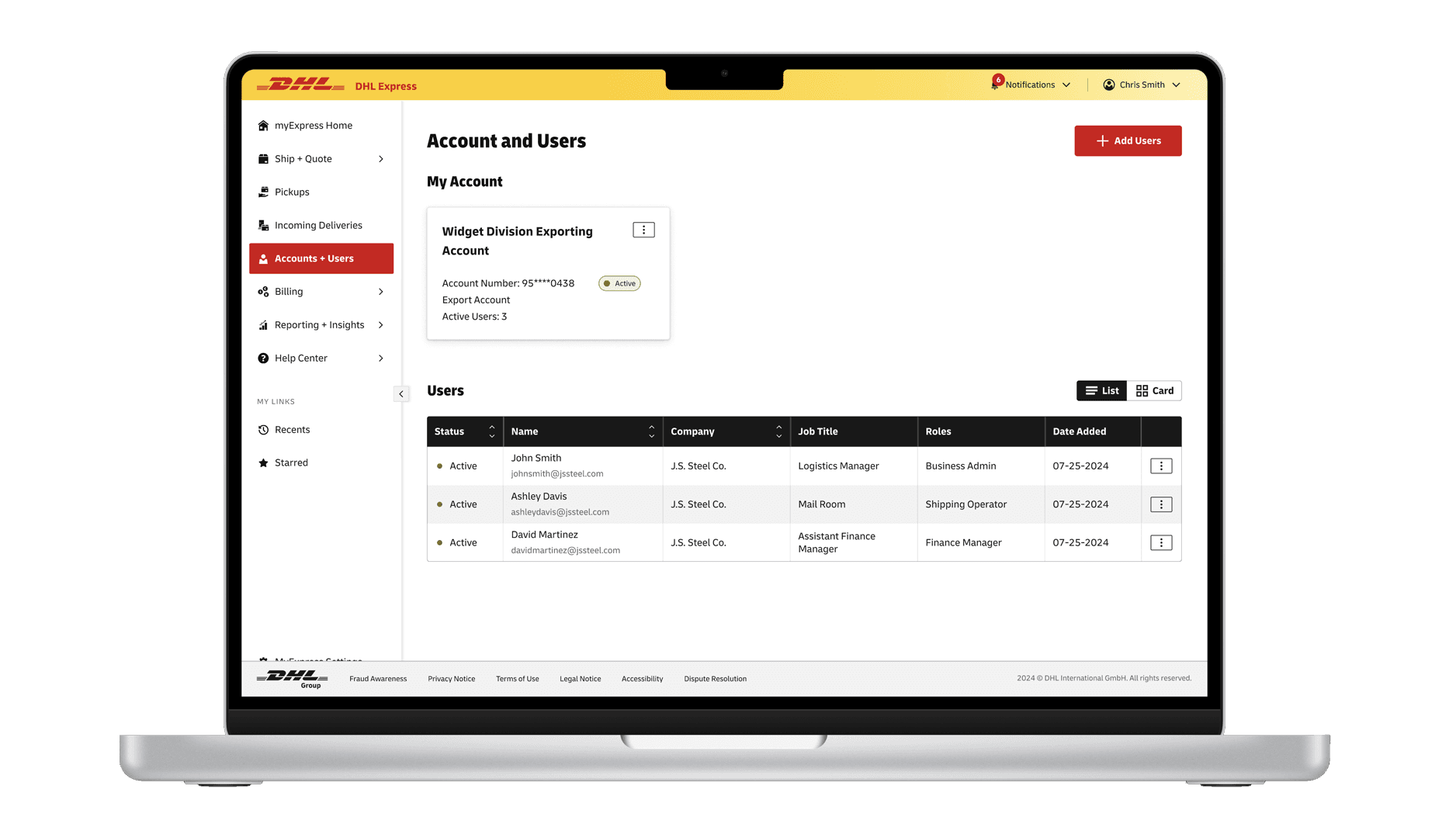
Use two views to give users display options.
If a business does not have many users, the table may not be the best display option, allowing to view as cards helps customize experiences based on preference.
ACCOUNTS & USERS
Use two views to give users display options.
If a business does not have many users, the table may not be the best display option, allowing to view as cards helps customize experiences based on preference.
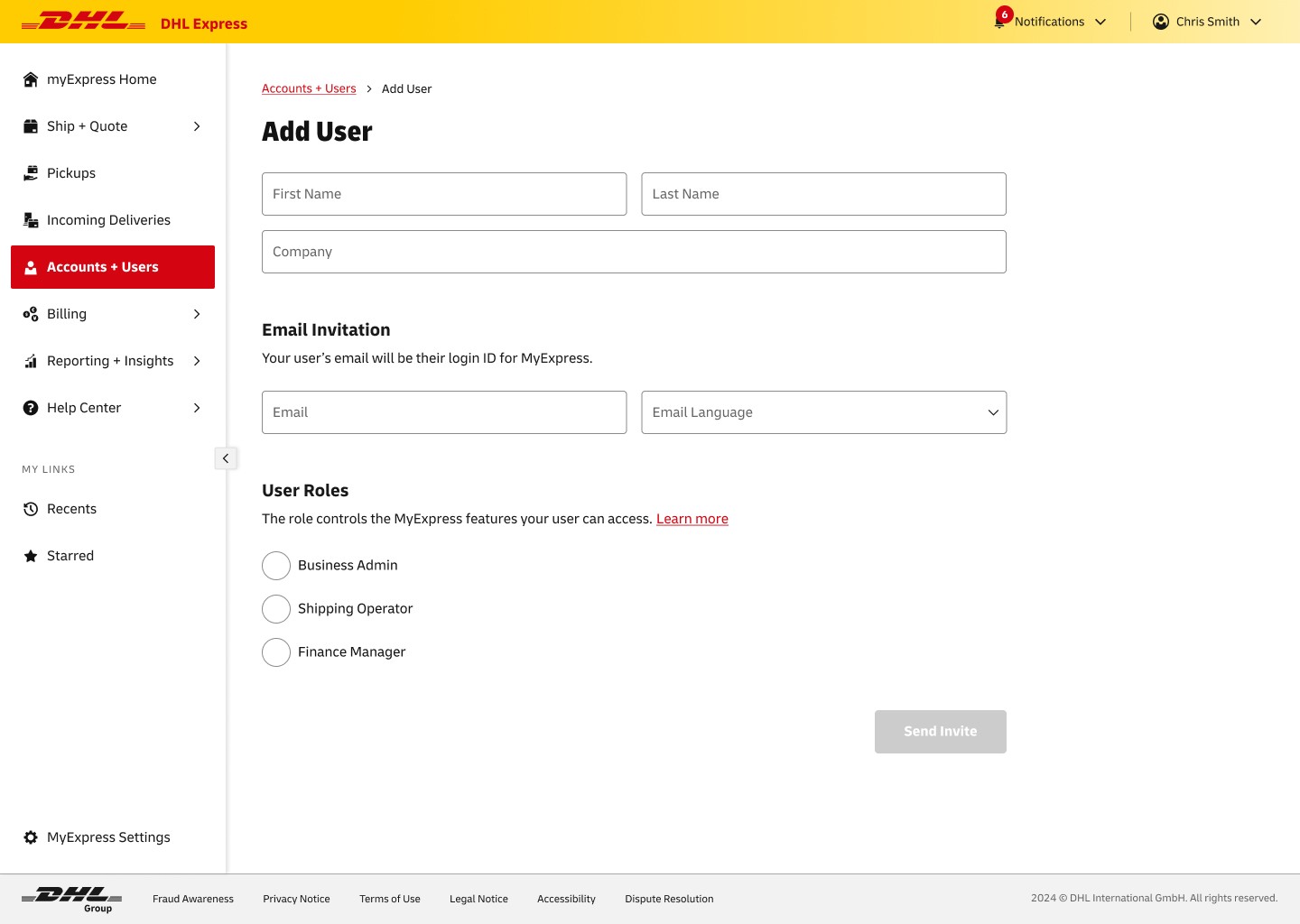
ADD USER
Use a simple form and assign roles to allow certain actions for new users.
This form includes a modal to explain the concept of user roles. Each role will give users certain permissions when they log in to the portal.
ADD USER
Use a simple form and assign roles to allow certain actions for new users.
This form includes a modal to explain the concept of user roles. Each role will give users certain permissions when they log in to the portal.